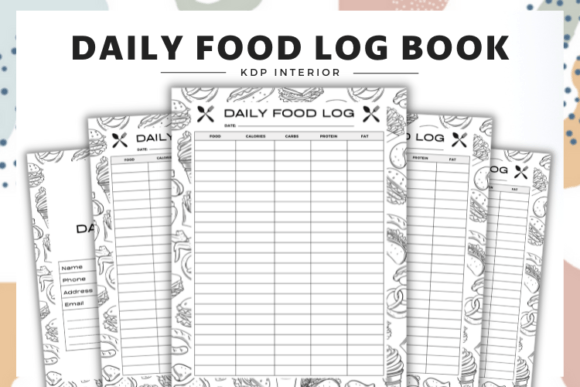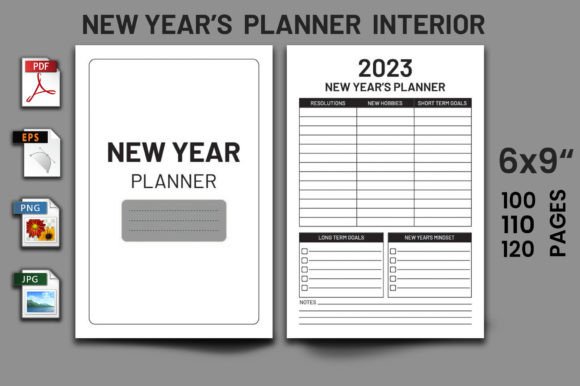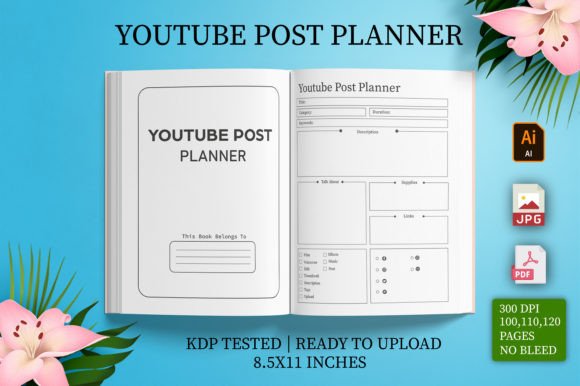
Unlock Your Creativity and Productivity with the CANVA Weekly Planner KDP Template
Imagine sitting down on Sunday evening, ready to map out your week. You need a planner that doesn't just list days and tasks, but actually reflects your style and supports your specific goals. For creators, small business owners, and organized individuals, this often means starting from scratch or wrestling with inflexible software. The CANVA Weekly Planner KDP Template changes that. It’s more than a printable; it’s a fully editable foundation inside Canva, designed specifically for creating unique weekly planners, whether for personal use or for publishing on platforms like Amazon KDP.
A Tool That Adapts to Your Life, Not the Other Way Around
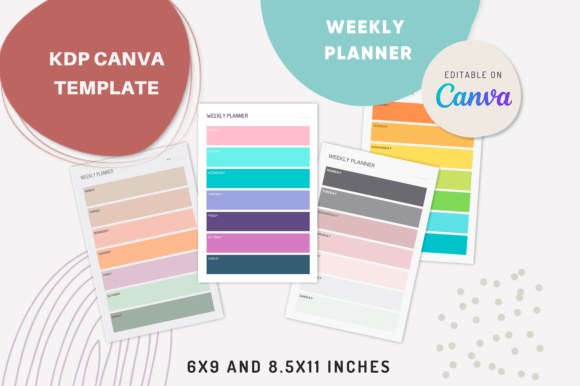
The core idea is simple yet powerful: you receive professionally designed templates that you can completely customize. This isn’t a static PDF you just print and use. You get editable Canva files with four distinct styles—each with modern color palettes and font selections—giving you a starting point that’s already visually appealing. You can then change any text, swap colors to match your brand or mood, experiment with different fonts for readability or personality, and even adjust the layout style if a particular section needs more space. This level of control means the final product feels genuinely yours.
Where This Flexibility Makes All the Difference
Consider the freelance graphic designer juggling client projects, invoicing, and skill development. A generic planner might have one "Work" block. With the CANVA Weekly Planner KDP Template, she can edit the sections to create dedicated areas for "Active Projects," "Client Communications," and "Learning Time," using a color code system she updates directly in Canva. She prints the 8.5x11 inch version for her desk binder. The template accommodated her actual workflow, not a hypothetical one.
Or think of a teacher creating a weekly lesson planner. The default layouts can be modified to include not just days, but specific class periods, notes for materials needed, and a section for student follow-ups. Using the clean, high-resolution PDF outputs, she can generate a crisp, professional-looking planner to use throughout the term. The two dimensions—6×9 inches and 8.5x11 inches—offer practical options; the 6×9 is ideal for compact binders or publishing as a paperback, while the 8.5x11 gives ample space for detailed notes.
Building Your Own Products or Streamlining Your Routine
The applications split broadly into two paths: creating for yourself or creating for sale. For the everyday user, the editable template solves the frustration of finding a planner that "almost" fits. Maybe you’re a blogger who needs to track content ideation, writing, editing, and publishing phases across the week. You can morph a simple weekly grid into a content pipeline dashboard, all within the familiar Canva interface. You make it once, and you have a custom tool for every week thereafter.
For entrepreneurs and publishers, the "low-content book" potential is significant. KDP interiors for weekly planners are a steady market. Instead of designing dozens of pages from a blank canvas, you start with these polished, editable templates. You can rapidly produce variations—a minimalist planner, a vibrant motivational planner, a business-focused planner—by changing the colors, fonts, and minor layout elements across the four provided styles. The eight single PDF files you receive are high-resolution, ready-to-upload files for KDP, derived from your customized Canva designs. This turns a complex design project into a manageable, efficient publishing process.
Real Scenarios Across Different Lifestyles
Let’s walk through more concrete situations. A marketing consultant running her own agency uses the planner not for her tasks, but for her team’s weekly stand-ups. She edits the template to include a "Team Wins," "Current Focus," and "Blockers" column for each day, prints the 8.5x11 version, and shares it in meetings. The visual consistency improves communication.
A hobbyist planning a complex home renovation needs to coordinate deliveries, contractor visits, and personal tasks. The weekly view is essential. He uses the template to add icons and bold specific time slots, creating a highly functional schedule that reduces overwhelm. The editable nature means he can design a version for the "electrical phase" that looks different from the "painting phase," keeping things clear.
An educator, beyond lesson planning, might create a student wellness or study habit tracker for the week, distributing it as a printable. The modern colors and fonts make it engaging for younger audiences. She simply adjusts the text in Canva and exports the PDF.
What to Consider Before You Begin
The appeal of an editable template is its openness, but your success with it depends on a few practical considerations. First, assess your comfort with Canva. The platform is user-friendly, but if you’ve never used it to move elements, change fonts, or recolor objects, there will be a learning curve. The template removes the hardest part—the initial design—but you still need to invest some time in customization.
Second, think about your end use. If you’re aiming for KDP publishing, understand Amazon’s requirements for interior file dimensions and quality. The provided 6×9 and 8.5x11 formats cover common sizes, and the high-resolution PDFs meet quality standards, but you must ensure your customizations don’t accidentally blur text or shift margins. Always preview your exported PDF thoroughly.
For personal use, consider your printing setup. The high-resolution files are great, but if you only have a basic home printer, you might opt for the simpler, less color-intensive style variations to ensure clean, fast printing. The ability to change colors means you can adapt for your hardware.
Connecting Features to Tangible Outcomes
The feature of having "4 different styles" isn't just a bullet point; it's a solution for creative block. When you're stuck, you can cycle through the styles and see which layout suddenly clicks with your project. The "editable text" feature means you're not stuck with labels like "Notes" that don't serve you; you can rename it "Client Feedback" or "Ideas to Sketch." This direct connection between feature and outcome—between editable text and a planner that speaks your professional language—is what makes the tool valuable.
Receiving both Canva editable templates and single PDF files bridges the digital creation and physical use worlds. You design interactively in Canva with immediate visual feedback, then you export a static, print-ready file for real-world use or commercial upload. This workflow mirrors how people actually work: iterate digitally, finalize for physical or digital distribution.
The Real Benefit: A Foundation for Your Specific Needs
Ultimately, the CANVA Weekly Planner KDP Template provides a foundation. It saves the hours you would spend making a weekly grid look balanced and professional. It then hands you the keys to modify everything. For the busy professional, that saved time is the benefit. For the KDP publisher, the professional starting point is the benefit. For the hobbyist or educator, the ability to make a functional tool that looks good is the benefit.
The use cases are as varied as the users: from planning content calendars and business milestones to tracking fitness goals, family schedules, or academic deadlines. Its value lies not in being a one-size-fits-all solution, but in being a one-template-fits-many solution, adaptable through a tool many already know. By starting with structure and offering complete control, it meets people where they are—with a need for organization—and empowers them to build the exact planner their week requires.